Photobucket Visual Search featuring Windows Live integration
June 24th, 2009We (Effective UI) just finished up a new Silverlight application with Photobucket.
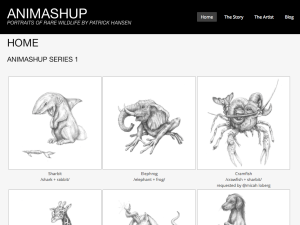
The app is called Visual Search, and is designed to encourage visual exploration within Photobucket’s massive library of photos and users, while allowing you to share your results externally using Windows Live Messenger.
Initially, the application will serve the user some featured media results from Photobucket’s site. You can either go from there and dig into the displayed images, or you can search “related terms” that have been gathered from those images. You can also dig into the user’s album in which that image resides, which I think is a really unique aspect of this model. The user should hopefully end up in a result set that they may have never expected, and the user will have explored much more content along the way.
The user can also initiate a custom search and enter any term they desire. The application will then provide results for that term along with related terms.
Again, this application is really intended to not only provide users with direct results of a search term, but also introduce the user with related results and even the source of the result. This is not a revolutionary approach, as many system deliver related items such as an e-commerce site or standard search engine, and social networks such as Photobucket allow users to dig into the source’s (another user) account to view other results. However, the delivery and experience of Visual Search really encourages this format of exploration with minimal effort on the part of the user. I would say it is fairly easy to venture through the various veins and arteries of Photobucket’s library of images and users.
You can also zoom into the images for a larger more detailed view, and you have similar options to the website where you can download the image, copy HTML code embed code or the link code to share.
Another unique aspect is the ability to share using the new Windows Live Messenger bar which is planted at the bottom of the page. This component is actually a javascript/HTML based module that lives on top of the application and can communicate with the Silverlight app for various events including sharing out images you find to other users in your buddy list.
As an example, if a user have a Windows Live account, and the user finds a photo they like and would like to share with a buddy in their contact list, you can easily trigger your contact list view from within the Application by selecting the “Share with Windows Live” button. The user can then select whom they would like to share this out to and it will initiate a chat and pre-populate your message with the link to that image.
This is the first round of the application and I’m not sure about the future of it, but many additional features have already been defined and noted.
I had the opportunity to work with Blend 3 beta for most of the production. Expression Blend 3 has some really nice features and improvements, although there are still some little nuances about the whole design to dev work flow, but the new tools like Blend 3 should begin making this a little smoother.
I’m getting a little more familiar working with XAML now, and I am liking the framework and concept. I have also been working with Flex and the MXML (FX-G) framework for graphical mark up, ans they are on a similar level. If you are purely a visual designer with no code experience, do not be intimidated by looking at XAML. It is pretty straight forward and Blend has both code/design and split views. You can see how Blend writes the mark up as you design visually, and this is a great way to begin learning XAML.
Flex 4 themes (Gumbo) - late post
May 21st, 2009This is kind of old news as I neglected to post about this project for Adobe Flex Builder 4 (Gumbo). Prior to Max 2008 in October, I was on a team at EffectiveUI that was called upon to create some themes to be packaged with Flex Builder 4. They wanted preview the feature and the designs during Max, so we were on a pretty tight schedule.
We also had to work with some of the new components using FX-G. This was a nice introduction into the FX-G framework and how their new model for components and the styling and skinning of them.
Please note:
These themes were designed to be used with the Gumbo preview release during Max 2008. Since then, there have been some changes to the SDK, most notably the use of namespaces for Gumbo and Spark skins. I will write a post on this soon.
We ended up creating 6 themes, some varying from pure CSS, to some using graphical skins as both bitmaps and Flash symbols.
Arcade

Blue Steel

Breeze

Cobalt

Graphite

Zen Natural

The various themes were created by a few individuals on our production team, including Todd Hebenstreit, Jeremy Graston, Juan Sanchez, and myself (Zen natural).
These themes provide several options for providing your Flex application a little more customized look if you don’t want the basic default set.
Again, please note there have been some changes to the FX-G framework since these themes were created and these were designed to work with the Gumbo Build released during Max 2008, and some new namespaces have been introduced for Gumbo/Spark skins. I’ll be writing a post about this soon.
You can download the themes directly from this link:
http://download.macromedia.com/pub/labs/gumbo/gumbo_samplethemes_111708.zip
or visit:
http://labs.adobe.com/technologies/gumbo/
RUN .EXE shirt (RUN DMC)
April 14th, 2009I just created an account on CafePress.com and uploaded this RUN .EXE design.
If you like, go ahead, buy one, two or three!

It’s just a basic play off the classic RUN DMC logo, but stating RUN .EXE for all of those windows users and executable files out there. I’m primarily a Mac person, but thought this would be a cool knock off.
Yesterday I posted this based on Skreened.com, but unfortunately, Skreened.com can’t print white, so if you want the more authentic look, you would have to order it on a white T-shirt. So, I found out about CafePress.com and looks like you can get it the way it should be with white on any color shirt! I added a women’s style as well.
I’m not sure if this has already been done before, so if it has, then here’s another. I’ve seen a lot of knock offs from this logo, but never this one.
I will probably be working primarily with CafePress.com from now on, but I will keep the Skreened.com shop up for now.
Visit my CafePress.com shop here:
http://www.cafepress.com/patrickhansen
or
Visit my Skreened.com shop here:
http://skreened.com/artistiq
Stateful to Stateless JSFL - Flash Command Script
April 8th, 2009After finding out that the stateful skinning approach was hitting the CPU pretty hard we had to go back and revise some skin/styling themes. This is can be a very time consuming process pending on the size of your theme and application.
Kevin Skrenes, a coworker and friend of mine who is a Senior Developer here at EffectiveUI, help smooth out the process for the conversion by writing a couple JSFL scripts for Flash. I really want to point out that Kevin Skrenes deserves A LOT of credit for this, but he doesn’t have a site or blog to publicize about it himself.
There are 3 scripts:
1) Create Stateless Symbols.jsfl
2) Remove Linkage Class Names.jsfl
3) Select Stateful Symbols.jsfl
Download the scripts here:
http://patrickhansen.com/resources/flash/StatefulToStatelessScripts_v1-0.zip
Install them in:
user/Library/Application Support/Adobe/Flash/en/Configuration/Commands
* this is on a Mac, not 100% sure what it is on Windows.
Make sure to quit Flash before installing.
Open Flash and you should see these commands under the Commands menu.

To convert:
Select the symbol(s) from the library you want to convert and use Create Stateless Symbols.
Linkage Class correction
Now, you may have some issues with the linkage Class. You should probably run this secondary script just in case to ensure you correct the linkage Class and ID to optimize it for stateless.
Removing old symbols
There is also a script to select any stateful symbols in the library, so you can delete them.
So, if you have some old legacy skins that are holding down your performance, go ahead and use these scripts to convert them, and hopefully save some time. ![]()
CSS
Remember, you will also have to correct your CSS for the new stateless skins.
Notes:
This is in its first round and there may be some issues with these scripts, so please let me know if you come across any.
Also, everything is not fully automated, so you may have to do some things manually.
It is possible to consolidate all of this into a single script, but we left them separate for our unique circumstances and scenarios.
Follow up on Stateful vs. Stateless skinning
April 1st, 2009Greg Owen posted a nice follow up on the EffectiveUI blog.
We worked with Adobe to see if we could work on something to help alleviate this issue, but even with a custom UIMovieCip Class Adobe provided, we still saw large CPU hit.
So, again, at this point, for larger applications, it is probably best to stick with stateless skins if you are going the graphical approach.
Read more on the post here:
EffectiveUI Blog