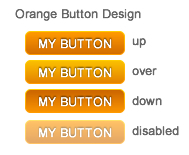
I’ve been playing around with javascript and JQuery lately and was working with some image-based buttons. This is nothing new and there are hundreds of solutions out there for this approach including the popular CSS direction. I did find some javascript solutions, but I couldn’t find any examples that were scalable and/or didn’t require several dependencies or explicit references like requiring ID’s or exact image file names and paths, which can be a hassle if you are dealing with multiple image-based buttons on a page or site.
So for whatever reason you may need a JQuery controlled image-based button, here you go.
note:
My example here is just providing a JQuery approach for image-based buttons. This can also be done quite easily using only CSS and altering the background image for the state. You would have to create a selector for each button and provide explicit height/width attributes for each button in the CSS. I would recommend using the CSS approach over the JQuery one, as it is more scalable if you decide to change the appearance of your buttons, you only have to alter the CSS and don’t need to mess with the markup.
Back to the JQuery Image-based button example:
There were several reason why I wanted to make this as generic as possible:
- Versatile Usage: Need to re-use this script across a site, different pages, even in PHP include files, and these files/pages may reside in various directories which would alter any explicitly declared image paths in the script.
- Image Type: Uncertain what type of image the buttons may be comprised of across the site: gif, jpg, png, etc.
- Number of buttons: May have several button instances and types throughout the site.
- No CSS Buttons: For some reason, the site is not using CSS based buttons
This script addresses all of those concerns with only 3 minimal requirements:
- The obvious, must have current JQuery lib file linked to your page, and this script either in the page or in external linked js file.
Download JQuery Here - Must assign the class the script references to the anchor tag for your button.
(example: <a class=”js_uniButton” …></a> ). - The up and over images MUST have the same file name and be the same file type, but the over image must be appended with “_hover“. (example: MyImage.gif and MyImage_hover.gif)
I’m a novice using JQuery with only a couple months experience, so if there is a better way, then feel free to let me know. A friend of mine helped me write the image URL caching function, which ensures the image URL only gets called once.
Below is an example of the script with detailed comments and extra line breaks for easier readability.
Click here to DOWNLOAD the demo
note:
This needs to be within a doc ready function either in the page or in external js file:
$(document).ready(function()
// insert script here
});
//*************** JQeury Universal Image Button ***************
function getHoverPath (imgPath) {
//split imgPath after each '/' and create array to path directories and file name
var srcPathArray = imgPath.split('/');
//find image file name get length of srcPathArray and retrieve last item which is the image file ex: "images/buttons/IMG.gif"
var imgFile = srcPathArray[srcPathArray.length-1];
//image file name array split at "." to get:[fileName, ext]
var imgArray = imgFile.split('.');
//img name (first item in imgArray)
var imgName = imgArray[0];
//image ext (second item in imgArray)
var imgExt = imgArray[1];
//image src path
var srcPath = imgPath.split(imgFile , 1);
// concatenate path and add "_hover" to image file name
return srcPath + imgName+'_hover.'+ imgExt;
};
// get hover button array
var hoveredButtons = new Array();

$('.js_uniButton').mouseover (function() {
$this = $(this);
//get image path of this instance
var imgPath = $this.children('img').attr('src');
//cache img path url on initial mouseover
if (typeof(hoveredButtons[ imgPath ]) == 'undefined') {
hoveredButtons[ imgPath ] = getHoverPath( imgPath );
//console.log('cache image path ' + imgPath + ' and hover path ' + hoveredButtons[ imgPath ]);
 }
$this.children('img').attr('src' , hoveredButtons[ imgPath ]);

//mouseout actions
$this.mouseout(function() {
//define this handler
var $this = $(this), handler = arguments.callee;

//unbind mouseout handler
$this.unbind('mouseout', handler);

// on mouseout, swap current image with original image path
$this.children('img').attr('src' , imgPath);
});
});
Thanks for posting this.
I adapted the script to work for form buttons, i.e. , giving them a hover state they usually don’t have.
That’s great to hear!
Do you have the script available anywhere to the public?
Awesome! Thanks for this script. Will definitely save some time from now on.